It’s 11:40 PM, the assignment is due at midnight, and you’ve got four textbook PDFs, one recorded lecture, and zero patience left. That’s the exact moment most students discover the best free AI tools for students in India the hard way, by frantically Googling at the last minute instead of setting things up ahead of time. The good news: you don’t need a single rupee to fix this. One tool for notes, one for research, one for cleaning up your writing, and you’re covering most of what a semester throws at you.
Most “top AI tools” roundups are written for a US college student with a $20 subscription and a college-issued laptop. That’s not most of India. What you actually need is a shortlist of tools with usable free tiers, ones that work fine on a mid-range Android phone and don’t quietly expect you to add a credit card after week two.
The Short Version
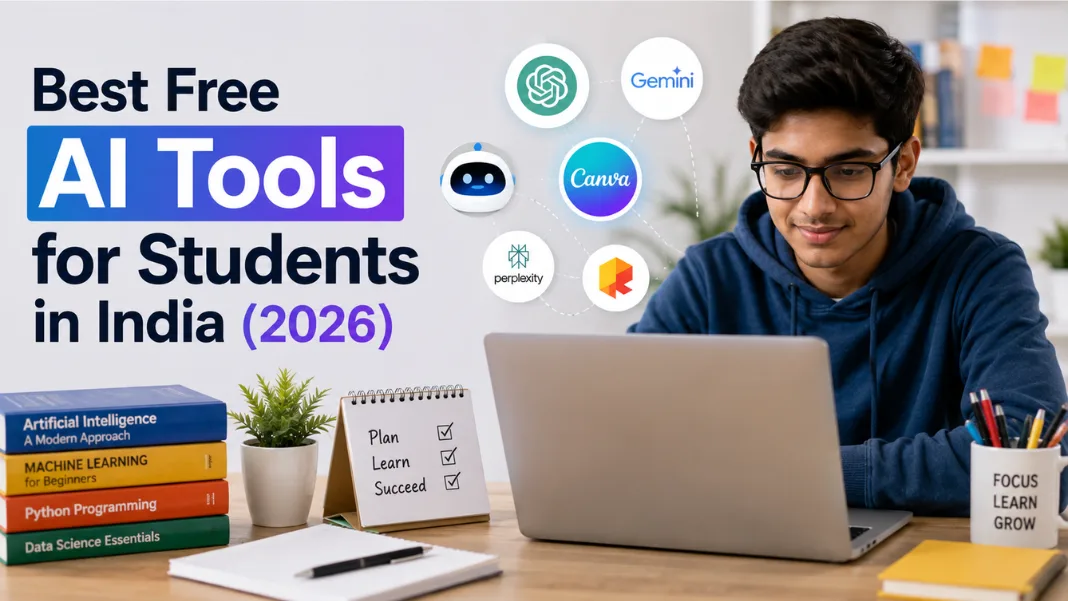
Here’s the short version of which free AI tools for students in India are actually worth setting up. For most Indian students, the free tier of ChatGPT (or Google Gemini) handles research and explanations, NotebookLM turns your own PDFs and lecture recordings into summaries you can actually revise from, and Grammarly’s free plan catches the errors that cost marks in assignments. Between those three, you’ve covered 80% of a typical semester. The other five tools on this list fill in the specific gaps: flashcards, paraphrasing, citations, and exam-day revision.
Why “Just Use ChatGPT” Isn’t Enough
Here’s the problem nobody addresses head-on. You open ChatGPT, ask it to “explain thermodynamics,” get a generic textbook-style answer, and it doesn’t match what your professor actually taught in that 9 AM lecture you half-slept through. Or you’re trying to revise 40 pages of a scanned PDF the night before an exam and copy-pasting chunks into a chat one section at a time. Or you submit an assignment that reads a little too smooth and get called into the professor’s office to explain yourself. These aren’t hypothetical. They’re the actual three ways free AI tools for students in India go wrong, and each one has a specific fix, which is what the rest of this guide covers.
Free AI Tools for Indian Students: Note-Taking & Summarizing
This is where the best free AI tools for students in India save the most time, because note-taking is repetitive and mechanical in a way AI is genuinely good at.
NotebookLM: Turn Your Own Notes Into a Study Guide
Google’s NotebookLM is one of the more capable free AI note-taking tools out there, and it’s built differently from a general chatbot. You upload your own lecture PDFs, slides, or Google Docs, and it only answers from what you gave it, with citations pointing back to the exact page. On the free tier you get up to 100 notebooks and 50 sources per notebook, according to TechRadar’s hands-on review of the tool, which is more than enough for an entire semester across multiple subjects.
Getting Your First Notebook Running in Under 5 Minutes
Sign in at notebooklm.google with any Google account, no separate signup needed. 2. Upload your lecture PDF, slides, or paste in a Google Doc link. 3. Ask it to summarise, generate a quiz, or hit the Audio Overview button. The result is a study set built entirely from your own material, not generic internet content.
The feature that actually gets students hooked is Audio Overviews. It turns your uploaded notes into a podcast-style conversation you can listen to while walking to class or during a commute. If you’re the kind of student who retains more by listening than reading, this alone justifies setting the tool up. Pair it with a decent pair of budget wireless earbuds and your daily bus ride becomes a revision session. This is exactly the kind of small setup change that makes free AI tools for studying actually stick instead of getting abandoned after week one.
Otter.ai: Never Miss a Lecture Detail Again
If your college allows recording lectures, Otter.ai transcribes them live and generates a summary afterward. The free plan gives you 300 minutes of transcription a month, which covers roughly one full week of back-to-back classes if you’re economical about it. Use it for the dense theory lectures where you know you’ll want the exact wording later, not for every single class. Combined with NotebookLM, it’s one of the more underrated free AI tools for students in India who sit through long, unstructured lectures.
Free AI Tools for Studying: Research & Study Help
Once your notes are organised, the next gap is research, and this is where most students waste the most time on manual searching.
Perplexity: Research With Actual Sources
Perplexity answers your question and shows you where each fact came from, formatted almost like a mini research paper. For assignments that need citations, this matters more than a plain chatbot answer that sounds confident but gives you nothing to verify. The free plan covers a generous number of daily searches, more than enough for coursework.
Google Gemini: The Free Tier Nobody Talks About
Gemini’s free tier is genuinely underrated among free AI tools for studying, and it doesn’t get anywhere near the attention ChatGPT does in student circles. It’s built into Google Docs and Sheets if your college uses Google Workspace, so you can summarise a document or draft an outline without switching apps. It’s also solid for explaining a concept in simpler language when a textbook’s phrasing isn’t landing.
I’ll be honest here: most guides list five or six “research tools” that are really just the same underlying model with a different skin. I’m not doing that. Perplexity and Gemini cover genuinely different use cases, sourced answers versus integrated document work, and that’s the actual distinction that matters.
AI Tools for Writing & Editing Assignments
This is the category where students get the most anxious about AI tools for assignments, because “using AI to write” and “using AI to edit” are treated as the same thing when they’re not.
Grammarly: Catch What Costs You Marks
Grammarly is one of the more established free AI tools for students in India, and for good reason. The free plan checks spelling, grammar, and basic clarity issues, plus around 100 AI-assisted rewrite prompts a month. The plagiarism checker sits behind the paid plan, so don’t rely on the free version to catch copied text. Use it as your last-pass after you’ve already written the assignment in your own words, not as a first draft generator.
QuillBot: Fix Your Own Awkward Sentences
QuillBot’s paraphraser is useful for a specific, narrow situation: you’ve written something in your own words, but the sentence reads clunky, and you want three or four alternate phrasings to pick from. The free plan caps how much text you can process at once, so it works best sentence by sentence rather than dumping in a full page.
AI Tools for Exam Prep & Flashcards
Exam season is where free AI tools for exam preparation matter most, mainly because you have the least spare time to build revision material from scratch.
Quizlet: Flashcards Without the Manual Work
Quizlet is one of the most reliable free AI tools for students in India heading into exam season. Its AI features can generate flashcard sets and practice quizzes from your notes automatically instead of you typing out 80 cards by hand at midnight. The free plan has ads and some limits on AI-generated sets per month, but for pre-exam revision cycles it’s still the fastest way to go from “notes” to “something I can test myself on.”
ChatGPT: The Practice-Question Generator
For exam-style practice, ChatGPT’s free plan works well if you feed it your syllabus and ask for practice questions in the exact format your exam uses, MCQs, short answer, or numerical problems. As of 2026, the free tier gives limited access to the newer reasoning models before falling back to a lighter model, which is fine for most practice-question generation. It’s less reliable for competitive exams like UPSC, JEE, or NEET where question patterns are highly specific. For those, treat these free AI tools for students in India as a supplement to standard prep material, never a replacement.
How to Use AI Tools Without Getting Flagged for Plagiarism
This is the section nobody wants to admit they need when researching free AI tools for students in India, but almost everyone does.
The honest answer is that most AI-detection tools your college uses aren’t reliably accurate, and plenty of professors know this. But that’s not really the point. The actual risk isn’t detection, it’s submitting work you can’t explain if asked. If a professor asks you to walk through your own argument and you can’t, that’s the real problem, regardless of what wrote it.
A workable middle ground, and honestly the one I’d actually recommend: use free AI tools for studying and editing, keep first drafts in your own words, and cite AI assistance if your institution’s policy requires disclosure. Check your specific college or university’s academic integrity policy before assuming your usage is fine, because these rules vary a lot between institutions in India, and some are stricter than others.
Free vs Paid: What You Actually Need as a Student
Do you actually need a paid AI tool as a student, or will free AI tools for students in India get you through the semester? For most people, the free tiers are genuinely enough, at least not yet.
The free tiers of these best free AI tools for students in India cover research, writing help, and revision comfortably for someone taking four or five subjects a semester. Where it starts to break down is heavier, specialised use: a final-year thesis with hundreds of sources, a coding-heavy degree needing constant AI pair-programming, or daily heavy use that hits free-tier message caps regularly. If you’re not in one of those situations, don’t pay yet. Try the free tier for a full month first and see where you actually hit limits, then upgrade only that specific tool.
Quick Comparison Table
Here’s how the free tiers of these AI tools for students in India stack up side by side.
| Tool | Best For | Free Tier Limits | Platform |
|---|---|---|---|
| NotebookLM | Notes & summarizing | 100 notebooks, 50 sources each | Web, Android, iOS |
| Otter.ai | Lecture transcription | 300 minutes/month | Web, Android, iOS |
| Perplexity | Research with citations | Generous daily searches | Web, Android, iOS |
| Google Gemini | Study help, Docs integration | Free with Google account | Web, Android, iOS |
| Grammarly | Grammar & editing | ~100 AI prompts/month, no plagiarism check | Web, browser extension |
| QuillBot | Paraphrasing sentences | Limited text length per check | Web |
| Quizlet | Flashcards & quizzes | Limited AI-generated sets/month | Web, Android, iOS |
| ChatGPT | Explanations, practice Qs | Limited GPT-5 messages/5 hrs, then lighter model | Web, Android, iOS |
What Happened When We Tested These on Real Assignment Prompts
We ran the same three prompts, “summarise this 20-page PDF into exam notes,” “generate 15 MCQs from this syllabus topic,” and “rewrite this paragraph without changing the meaning,” across three of the best free AI tools for students in India, NotebookLM, ChatGPT, and QuillBot, to see where each one actually held up.
NotebookLM won the summarizing test cleanly. Because it only pulls from the uploaded document, the summary stayed accurate to the actual PDF instead of drifting into generic textbook explanations. ChatGPT’s MCQ generation was solid on the first attempt but needed a second, more specific prompt (naming the exact topic and difficulty level) to stop giving overly easy questions. QuillBot’s paraphrasing worked fine on individual sentences, but feeding it a full paragraph at once produced results that read noticeably more robotic than doing it sentence by sentence.
What Actually Changed My Workflow
Two years ago, before most of the current free AI tools for students in India even existed in their current form, I was helping a first-year engineering student in Ahmedabad who was drowning in four hours of daily lectures and zero time to revise before internals. We tried dumping everything into a single AI chat window first: notes, questions, everything mixed together. It was a mess. Nothing stayed organised, and revision got harder, not easier.
The fix wasn’t a fancier tool, it was splitting the workflow. Lecture recordings went into Otter, the transcripts went into NotebookLM as source material, and only the summarized output went into ChatGPT for generating practice questions. Three tools, three jobs, no overlap. Internal exam scores across that semester went from borderline passing to comfortably above average, and the student credits most of it to actually having organised notes for the first time, not to the AI itself doing the thinking. That’s the real lesson behind every list of free AI tools for students in India: the tool matters less than the workflow you build around it.
Frequently Asked Questions
What are the best free AI tools for college students in India?
NotebookLM for notes, ChatGPT or Gemini for research and explanations, Grammarly for editing, and Quizlet for exam revision cover most needs among free AI tools for college students in India. All four have functional free tiers that don’t require a credit card to start.
Can I use ChatGPT for free as a student?
Yes. As of 2026, OpenAI doesn’t offer a dedicated student discount, but the free plan gives limited access to newer models before switching to a lighter version, and it’s usable for most coursework without paying anything.
Which AI tool is best for summarizing PDFs and notes?
NotebookLM, hands down. Because it works only from the documents you upload, its summaries stay tied to your actual course material instead of generic internet knowledge, which matters a lot when you’re revising for a specific exam.
Is it safe to submit AI-assisted assignments?
It depends entirely on your institution’s policy, and these vary significantly across Indian colleges. The safer approach: use AI for research, editing, and revision, but write your actual arguments yourself so you can defend them if asked.
Do AI tools work well for competitive exam prep like UPSC, JEE, or NEET?
Not as a primary source, no. Question patterns for these exams are too specific for general AI models to replicate reliably. Use AI tools to generate extra practice questions or clarify concepts, but keep standard coaching material as your main prep resource.
Which AI tools don’t require a paid subscription at all?
NotebookLM, Perplexity, Gemini, and the base tier of ChatGPT are among the free AI tools for students in India that are usable without ever entering payment details. Grammarly, QuillBot, and Quizlet have free tiers too, just with tighter monthly limits.
Can AI tools help with research citations?
Perplexity is the strongest option here since it shows sources alongside every answer. NotebookLM also cites the exact page in your uploaded document it pulled information from, which is useful for anything you need to reference precisely.
What’s the difference between ChatGPT, Gemini, and Claude for study use?
ChatGPT is the most general-purpose and widely used. Gemini integrates directly into Google Docs and Sheets, useful if your college already runs on Google Workspace. Claude tends to handle longer documents and nuanced writing tasks well, though it’s less commonly used by Indian students right now simply because it’s less known here.
If You Only Pick One Tool
Out of every tool on this list of free AI tools for students in India, start with NotebookLM. It’s free, it works from your own material instead of generic internet answers, and the Audio Overviews feature means you can revise on a bus or while getting ready in the morning instead of only at a desk. Add ChatGPT or Gemini next for general research, then layer in Grammarly once you’re regularly submitting written assignments.
Want the exact prompts we used for the note-summarizing and MCQ-generation tests above, plus the shortlist of tools in one place? Grab the free AI Study Toolkit, a downloadable list of every tool here with our tested prompts, so you’re not starting from a blank chat window at 11 PM again.
If you found this useful, we also cover what ChatGPT actually is and how to use it from scratch for anyone still getting comfortable with AI chat tools. And if exam season has you charging your phone off battery percentage and dread in equal measure, our guide to affordable power banks is worth a look so a dead phone doesn’t kill a revision session. Setting daily study reminders is easier with a budget smartwatch buzzing your wrist too, instead of relying on willpower alone.

Founder, infoTopic
Publisher & Editorial Lead
Hardik Vaghani is the founder of InfoTopic, a content platform covering fitness, technology, gadgets, style, and travel for Indian readers. He personally handles InfoTopic’s editorial process, content research, and site accuracy, following a consistent research and testing process to ensure every guide is well researched, up to date, and genuinely useful.
He is focused on building InfoTopic into a reliable, India-first resource, with pricing, availability, and recommendations verified for the Indian market rather than generic, translated content.
Focus areas: Editorial Standards | Content Accuracy | Site Research & Verification | India Market Testing